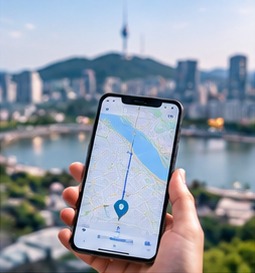
If you are used to Google Maps, Korea can be a surprise. Google Maps finds places and shows bus and subway routes here, but it still does not give the step-by-step walking and driving directions you get at home. Locals use two Korean apps instead: Naver Map and Kakao Map. Both are free, both have an English mode, and both are far better than Google at the small things that matter on foot, such as which subway exit to take. This guide compares the three, shows how to set up Naver Map in English, and explains where Kakao Map and Google Maps still earn a place on your phone.
Does Google Maps work in Korea?
Partly. Korean rules on exporting detailed map data kept Google from offering full navigation for many years. In February 2026 the government approved Google's request with conditions (sensitive sites blurred, coordinates hidden), and in August 2026 Google said it plans to bring turn-by-turn directions to Korea, without giving a date. Until that arrives, Google Maps will not reliably walk you to the door. Check the app on your trip, but do not rely on it alone.
What Google Maps does well in Korea right now:
- subway and bus directions between two points,
- finding places and reading reviews written in English,
- keeping the list of places you saved while planning at home.
What it does less well: walking routes through backstreets, which subway exit to use, and up-to-date details for small restaurants and cafes. Those are exactly the things Naver Map is built for.
Naver Map vs Kakao Map vs Google Maps at a glance
| Naver Map | Kakao Map | Google Maps | |
|---|---|---|---|
| English menus | Yes, good | Yes, patchier | Yes |
| Walking directions | Yes | Yes | Limited (rollout planned) |
| Subway exit numbers | Yes | Yes | Sometimes |
| Live bus arrivals | Yes | Yes, very good | Partly |
| Reviews in English | Few | Few | Many |
| Account needed | Only to save places | Only to save places | Only to save places |
In short: Naver Map is the best main app for most visitors, Kakao Map is a strong second opinion and the best for buses, and Google Maps is useful for planning at home and for reading English reviews.
How to use Naver Map in English
- Download it at home. Naver Map is free on the App Store and Google Play (published by NAVER Corp.). Install it before you fly, while you are on familiar Wi-Fi.
- Switch the language. In recent versions: open the app, tap the menu or your profile icon, go to Settings, then Language, and choose English. The exact path moves a little between versions, so look for the gear icon. Menus, buttons and route steps change to English, and many station and landmark names appear in English too.
- Allow location access. The blue dot and the walking guidance only work with location turned on.
- Sign in if you want to save places. You can search and get directions without an account, but saving favourites needs a Naver login. Signing up from abroad can ask for a phone number for a text code, so do it at home if you want lists ready on arrival.
- Search smartly. Type the English name of big landmarks and stations; for smaller shops and restaurants, copy the Korean name from the place's website or a booking confirmation and paste it in, which finds the right place far more often.
- Star places to save them. Search for your hotel first, tap the star (Save), and you always have a one-tap route home after a long day. Star restaurants and sights the same way to build your own list.
To be honest about the limits: some details stay in Korean even in English mode, such as many restaurant menus, user reviews (recent versions offer translations for some) and smaller shop names. Papago or your phone's camera translator handles those well; see our translation app guide.
What Naver Map does better
- Walking directions that follow real pavements, crossings, underpasses and footbridges, with a moving dot as you go.
- Subway exits. Big stations such as Seoul Station, Gangnam or Hongik University have a dozen or more exits. Naver Map tells you the numbered exit to use, which often turns a ten-minute detour into a two-minute walk.
- Fast transfer carriages. For many subway trips it shows which carriage door is closest to your transfer or exit.
- Live bus arrivals. Tap a bus stop to see when the next buses are coming and how many stops away they are.
- Local listings. Restaurants and cafes usually have photos, menus, break times and a phone number, and Koreans review places here rather than on Google.
Opening hours and break times in listings change, and a small place can close without updating them. Treat them as a guide and allow a plan B.
Searching in English: tips that save time
- Copy the Korean address. Your hotel booking, a tour confirmation or the place's own website usually gives the Korean address. Pasting it is the most reliable search of all.
- Try more than one spelling. Korean names are romanised in different ways. If "Gyeongbokgung" finds nothing, try "Gyeongbok Palace", or paste the Korean name 경복궁.
- Add the area. Chain cafes and restaurants have dozens of branches. Search "Starbucks Insadong" rather than "Starbucks".
- Check the map pin. Before you set off, look at where the pin sits. It is easy to pick a branch on the other side of the city.
- Use the Naver Map links in our place guides. Every Korea Plainly place guide has a button that opens the exact place in Naver Map.
Kakao Map: when it is the better choice
Kakao Map (written KakaoMap in the app stores) is run by Kakao, the company behind KakaoTalk and the Kakao T taxi app. Its walking and transit directions are as good as Naver's, and many Koreans prefer it for buses: the live bus screen shows where each bus is on its route, how full it is on some lines, and the last bus of the night.
To use it in English, open the menu (≡), go to Settings and choose English as the language. If you cannot find the option, set your phone itself to English and restart the app. Menus and labels switch to English, but reviews, business descriptions and some transit alerts stay in Korean, and the website version is mostly Korean. In practice its English is a little less complete than Naver Map's.
Kakao Map is worth installing as a backup when:
- Naver Map cannot find a place, or shows it in a strange spot. The two apps use different listings, so the second one often fixes the problem.
- you are waiting for a bus, especially a late one, and want to see exactly where it is;
- you are outside Seoul, where some small restaurants and guesthouses list themselves on one app but not the other.
For in-car directions Kakao uses a separate app, Kakao Navi, which matters only if you rent a car. If you use Kakao T for taxis, you will see Kakao's maps there anyway; our Kakao T taxi guide explains how it works.
The simple approach
You do not have to choose one app. A setup that works for most visitors:
- Before the trip: plan and save places in Google Maps if that is what you know, and install Naver Map and Kakao Map, switch both to English and save your hotel.
- On the ground: use Naver Map for walking, subway exits and buses; open Kakao Map when Naver cannot find a place or you are tracking a bus; use Google Maps to check English reviews.
- Stay connected: both apps need mobile data for live routes, so sort out an eSIM, SIM or pocket Wi-Fi first (see our SIM and eSIM guide).
Once you know which exit to take, the subway itself is easy; our Seoul subway guide covers the rest.
See all the apps worth installing in our guide to South Korea apps for tourists.
FAQ
Does Google Maps work in South Korea?
Partly. Place search, reviews and public transport directions work. Google plans full walking and driving directions after a conditional approval in 2026, but has not given a date, so keep Naver Map or Kakao Map as well.
How do I change Naver Map to English?
Open the app, tap the menu or your profile icon, go to Settings, then Language, and choose English. The path can move slightly between app versions; look for the gear icon. Route steps, menus and most station names then appear in English.
Is Naver Map available in English?
Yes. Change the app language to English in Settings. Menus, route steps and most station names switch to English, while restaurant menus and reviews often stay in Korean.
Naver Map or Kakao Map: which is better for tourists?
Naver Map, for most visitors, because its English mode is more complete and it shows subway exits and transfer carriages clearly. Kakao Map is a useful backup, especially for live bus tracking and for places Naver cannot find.
Do I need a Naver or Kakao account?
No. Searching and directions work in both apps without an account. You only need to sign in to save places to your own lists.