Mobile data is not optional in Korea. You will use it for maps, translation, taxi apps and booking restaurants, and many places expect you to show something on your phone. The good news: coverage is excellent across cities, subways and most of the countryside, and there are three easy ways to get online.
Watch the one-minute version
Subscribe for new videosOption 1: eSIM
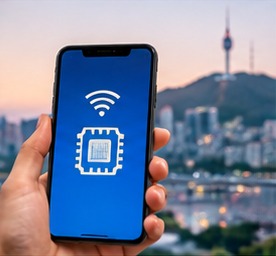
An eSIM is a digital SIM you install by scanning a QR code or through an app. You can buy it at home and switch it on when you land, so you have data the moment you leave the plane.
- Good for: solo travellers and couples whose phones support eSIM and are not locked to their home carrier.
- Keep in mind: many tourist eSIMs are data-only, with no Korean phone number. That is fine for most travel apps, but a few local services send verification codes by text to a Korean number.
- With a number: some tourist eSIMs sold through the Korean carriers (for example KT and SK Telecom plans) now include a Korean 010 number for calls and texts. These usually have to be collected or activated at an airport counter with your passport, and the number is for tourist use only: it won't pass Korean identity checks. Check what each plan includes before you buy.
- Check first: in your phone settings, look for an option such as "Add eSIM" or "Add cellular plan". If it is missing, your phone may not support eSIM.
Option 2: Korean SIM card
Physical tourist SIM cards are sold at airport telecom counters and online for airport pick-up. Some plans include a Korean phone number for calls and texts.
- Good for: longer stays, travellers who want a local number, and older phones without eSIM.
- Keep in mind: you need your passport to buy one, and you will have to keep your home SIM somewhere safe while you travel.
Option 3: Pocket Wi-Fi
A portable router that you rent, usually collected and returned at the airport. Several phones and laptops can share one connection.
- Good for: families and groups who stay together all day.
- Keep in mind: it is one more device to charge and carry, and whoever is away from the router has no data.
Which one should you choose?
- Phone supports eSIM and you only need data: eSIM.
- You want a Korean number, or your phone has no eSIM: Korean SIM card.
- Three or more people who stay together: pocket Wi-Fi.
Before you fly
- Check that your phone is unlocked if you plan to use a SIM or eSIM.
- Download offline maps and a translation app at home, in case setup takes longer than expected.
- Turn off data roaming on your home SIM to avoid surprise charges.
- Save your accommodation address in Korean; it is useful for taxis and map searches.
What a Korean phone number can and can't do
A tourist SIM with a Korean number lets you make local calls and receive texts, which helps with restaurants, deliveries and hosts who prefer to call or text. But many Korean apps and websites verify your identity through the phone number, and that check is linked to a Korean ID or residence card. A tourist number usually won't pass those checks. For visitors, apps built for foreigners work better: taxi apps such as k.ride (see our taxi app guide), and English booking services for restaurants and tickets.
New ID checks at the counter
Korea has been introducing a face check when a new mobile number is opened, to fight phone fraud. If you buy a SIM with a phone number at the airport, expect staff to scan your passport and possibly take a quick photo to match it. It only takes a moment, but bring your physical passport. Data-only eSIMs bought online usually don't need this.
Where to buy at the airport
At Incheon Airport, the three Korean carriers (SK Telecom, KT and LG U+) have roaming and SIM counters in the arrivals hall, and many online orders can be picked up there. Counters near the main exits can have queues when several flights land at once; ordering online before you fly, or choosing an eSIM, saves time. Keep the counter's opening hours in mind if your flight lands late at night.
Free Wi-Fi as a backup
Free Wi-Fi is easy to find in cafes, hotels, airports and many subway stations and public spaces, so you are rarely completely offline. Don't rely on it alone, though: you will want data on the street for maps and translation. Save your hotel address and a screenshot of your first route before you land, just in case.
FAQ
Is an eSIM or a SIM card better for Korea?
For most short trips, an eSIM is easiest: you set it up before you fly and have data on landing. Choose a physical SIM if your phone doesn't support eSIM or you want a Korean phone number.
Do I need a Korean phone number as a tourist?
Usually not. Data is enough for maps, translation and messaging apps. A Korean number helps if you need to receive local calls or texts, but it usually won't pass identity checks for Korean-only apps.
Can I buy a SIM card at Incheon Airport?
Yes. The carriers' counters in the arrivals hall sell tourist SIMs and rent pocket Wi-Fi. Bring your passport.
Can I get a Korean eSIM with a phone number as a tourist?
Yes, some tourist eSIMs from the Korean carriers include a 010 number that can receive calls and texts, and some plans add calling credit. You usually pick them up at an airport counter with your passport, and the number won't work for Korean identity verification. Most travellers only need a data-only eSIM.